Guide · widgets
A workout widget on your iPhone so you never forget your session
An app you never open is useless. Workomp's widgets put your next session and your consistency where you look a hundred times a day: your Home Screen and Lock Screen.
On your Home Screen
Three sizes, in the colour of your choice:
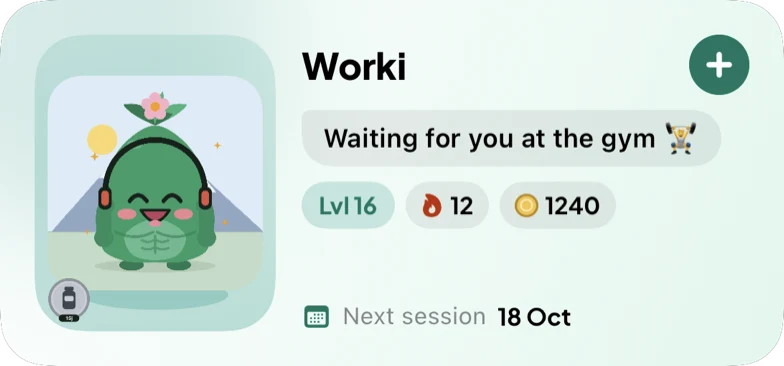
- Small: your mascot, its level, your streak and a button to start a workout.
- Medium: plus your next session, your coins, and Worki talking to you.
- Large: your mascot’s scene, your numbers and what it says; with Premium, your week day by day.
- A trophy of your choice, among the ones you have earned, can show on it.
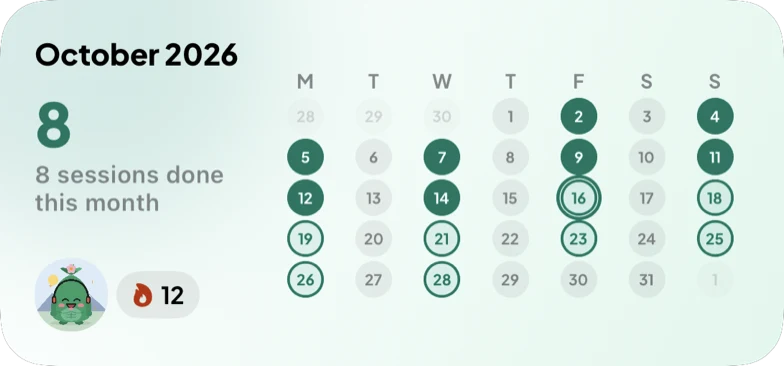
Your month on a calendar
The calendar widget (small, medium or large) shows your month: a dot for each session done, planned or missed, and your streak. The easiest way to see if you are keeping up.
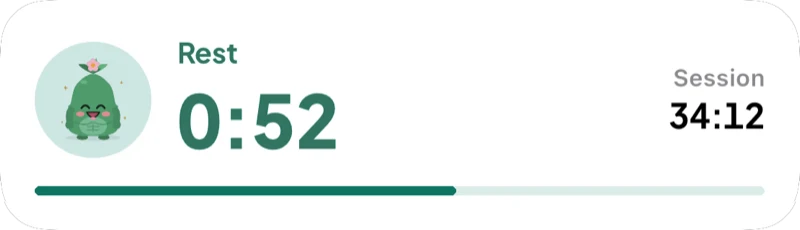
On the Lock Screen and in the Dynamic Island
Lock Screen widgets (circular, rectangular, inline) keep your streak and next session visible without unlocking.
- During a workout: the timer and the rest countdown.
- For cardio: the timer of the current set (bike, run, plank).
- The next set to check off without opening the app (iOS 17 and later).
Adding a widget
- Touch and hold an empty area of your Home Screen, then tap Edit and Add Widget.
- Search for Workomp, pick a size, then tap Add Widget.
- For the Lock Screen: touch and hold the Lock Screen, tap Customize, then the widget area.
Why it helps
A reminder you see without looking for it beats a notification you swipe away. And seeing your streak, or a tired mascot, is often enough to get you up for the planned session.
Frequently asked questions
Are the widgets free?
Yes, all widgets are free. Premium (€4.99/month, €29.99/year or €79.99 for life) adds your week day by day to the large widget.
Does the widget update by itself?
Yes: the app updates it as soon as your data changes (session checked in, plan edited), and iOS refreshes it during the day.
Do I need an Apple Watch?
No. Everything happens on your iPhone (iOS 16.4 and later); Workomp has no Apple Watch app for now.
Read next
- A workout motivation app to help you stick to your sessionsHow a workout motivation app helps you stick to your sessions: a weekly plan, reminders, widgets, a streak and a mascot that grows with your consistency. Free on iPhone.
- A gym log for iPhone, simple and completeA gym log for iPhone: sets, reps and weights, PRs and progress, supersets, RPE, plate calculator. Import from Strong and Hevy. Free.
- A beginner workout plan: where to startHow many sessions a week, how many sets, what weight: the basics of starting strength training, and a ready-made plan to follow on iPhone, for free.
- Switch from Strong or Hevy to Workomp without losing your historySwitch from Strong or Hevy to Workomp without losing your history: CSV import, PRs and stats carried over, what changes and what does not. Free on iPhone.
- Workomp homeTrack your workouts, exercises and PRs, without distractions.